
Create your Word (DOCX), Excel (XLSX) or PowerPoint (PPTX) template with placeholders where the data needs to be replaced with a {variable} format. Currently these are the formats accepted. You can download sample templates you can edit here.
You can use Google Docs, Google Sheets and Google Slides and download them as DOCX, XLSX or PPTX.
FONTS:
Please use fonts that are used in MS OFFICE or the Google Fonts repository.
Fonts downloaded from other sources might cause errors and the documents will not be displayied properly.
—
Don’t use spaces in variables like {First Name}. Or very long variables like {veryLongvariable_thathasmany_words}.
Don’t use dots or other symbols.
Use currency symbols like $ or € before the amount in the template, outside the placeholders.
—
Accepted variables are in the format {Name}, {firstName}, {FirstName}, {First_Name}.
Without the curly braces the template is not valid. You can view and download sample templates from our library. Edit these templates or use them as guides.
The {variable} placeholders will be replaced with the data from your source file in XLSX, CSV, or JSON files. Alternatively, the data is sent from our integrations like Google Sheets, Airtable, WordPress, Zapier, or others.
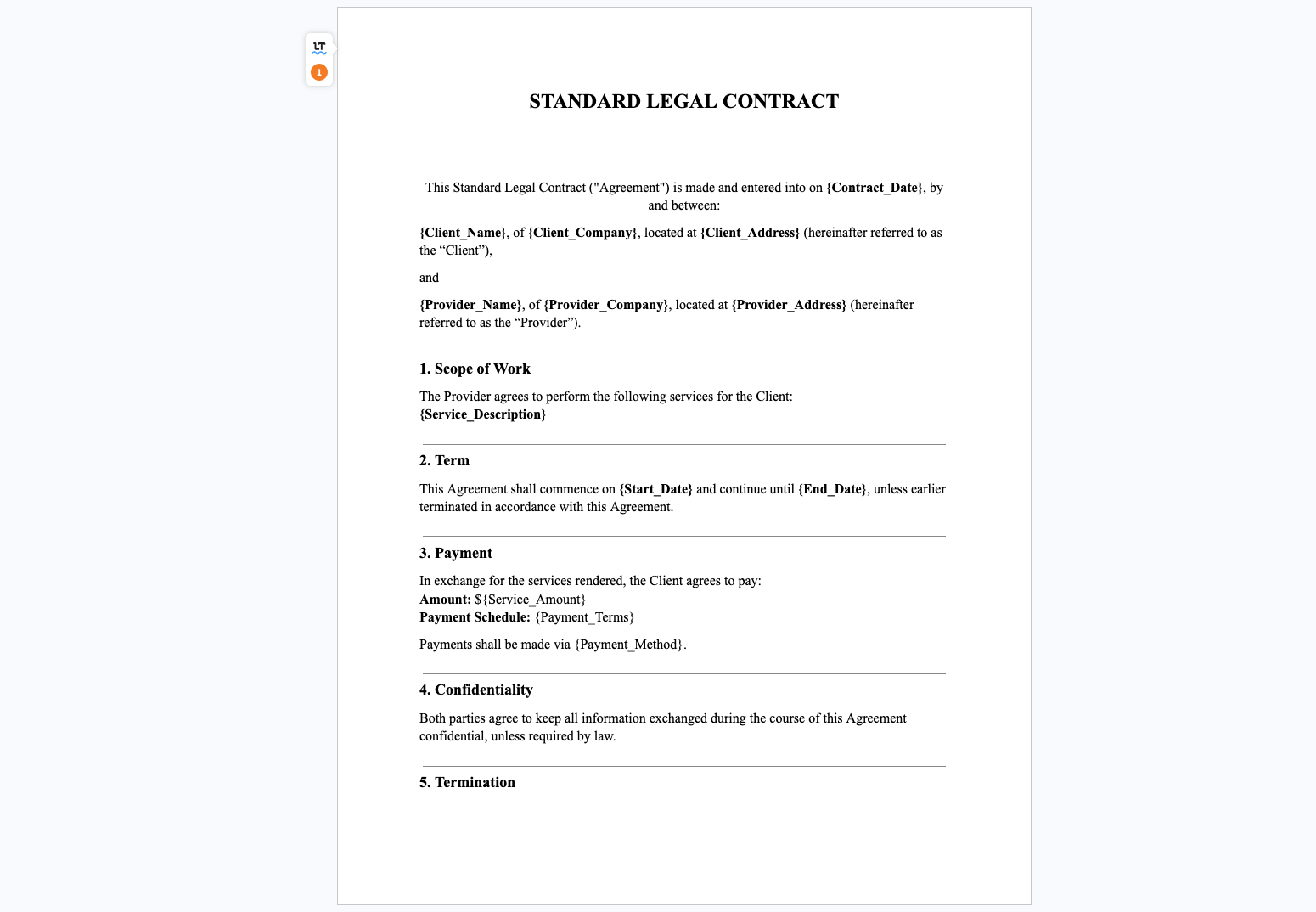
or like

Images In Templates
DOCX
{image_url | size:’50’:’50’} -> with custom image resize
{image_url} -> will use the original size
PPTX
{image_url} -> will use the box container as the image size