
Bulk Invoice Generation
Create Professional PDF Invoices Automatically at Scale
Stop wasting hours copying line items, totals, customer details, and payment terms into invoice files one by one.
With ActiveMerge, you can generate hundreds or thousands of polished PDF invoices from Excel, Airtable, forms, or API data in seconds.
Connect your billing data, upload a branded invoice template, map your fields, and let ActiveMerge create accurate, ready-to-send invoices automatically.
Use ActiveMerge invoice generation to produce batch invoices, receipts, statements, and payment documents without code.
Create your free account today and start generating invoices in minutes.

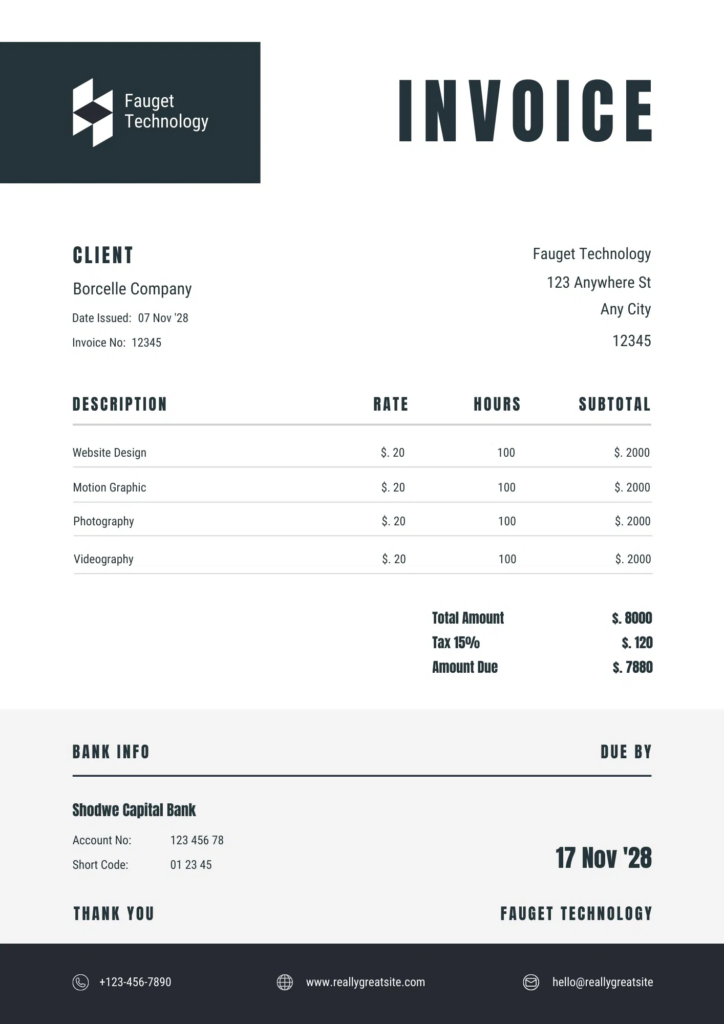
How Invoice Generation Works

ActiveMerge keeps invoice generation simple. No coding experience is required, and most teams can build their first automated invoice workflow in minutes.
- Design your invoice template
Use Word/Google Docs or Excel to create a branded invoice layout with your logo, payment instructions, tax details, and customer-facing messaging. - Connect your invoice data
Pull customer names, invoice numbers, dates, line items, quantities, taxes, discounts, totals, and payment status from spreadsheets, forms, Airtable, Zapier, Make, WordPress, or your own API. - Generate invoices in bulk
Create one invoice or thousands at once. ActiveMerge merges every row or record into a clean PDF invoice. - Send, store, or automate the next step
Download the files, email them to customers, archive them in your storage system, or trigger the next workflow in your billing process.
Connect Invoice Data from Your Existing Tools
ActiveMerge works with the tools your business already uses for billing, sales, and operations.
Use no-code automation platforms like Make and Zapier to generate invoices from new orders, form submissions, CRM updates, spreadsheets, or accounting workflow triggers. ActiveMerge also connects with WordPress forms, Airtable, and custom systems through the API.
Need invoices generated from Shopify exports, Stripe data, WooCommerce orders, client intake forms, or a custom database? Send the data to ActiveMerge and return branded PDF invoices automatically.
Need help setting up an invoice workflow? Contact us and we can help connect the pieces.
Who Uses ActiveMerge for Invoice Generation?
ActiveMerge helps teams that need professional invoices without manual document work.
Small Businesses and Freelancers
Generate a month of client invoices in one run instead of copying the same details into separate files after every project.
Agencies and Service Firms
Create branded invoices, retainers, statements, and receipts for many clients while keeping layout, terms, and payment instructions consistent.
Finance and Operations Teams
Turn spreadsheet or system data into audit-friendly PDF invoices with invoice numbers, tax fields, totals, and customer information populated automatically.
Software and SaaS Teams
Use the API to generate invoices from product events, subscriptions, usage reports, or internal billing data.
Why Generate Invoices as PDF?
PDF is the standard format for business invoices because it is easy to send, store, print, and review.
- Consistent branding – Every invoice keeps the same layout, logo, fonts, and payment instructions.
- Reliable delivery – Customers, vendors, and finance teams can open PDF invoices on any device without layout issues.
- Clear records – Save generated invoices as fixed documents for accounting, reporting, and customer history.
- Automation-ready – Generate the invoice, then attach it to an email, upload it to storage, or pass it into another workflow.
ActiveMerge gives you the speed of automation with the control of a custom invoice template.
Invoice Generation FAQ
Answers to common questions about generating branded PDF invoices automatically with ActiveMerge.
Can ActiveMerge generate invoices from Excel or spreadsheet data?
Yes. You can use spreadsheet rows as the source data for invoice numbers, customer details, line items, taxes, totals, due dates, and payment instructions. ActiveMerge merges each record into your invoice template and outputs PDF invoices automatically.
Do I need to code to generate invoices automatically?
No. Most invoice workflows can be built with templates, field mapping, and no-code tools like Zapier or Make. Developers can also use the ActiveMerge API when invoice generation needs to be triggered from a custom app or internal system.
Can I use my own branded invoice template?
Yes. Create your invoice layout in Word or PowerPoint with your logo, colors, payment terms, tax fields, and footer text. ActiveMerge fills the template with live invoice data and generates a polished PDF.
Can ActiveMerge generate invoices in bulk?
Yes. ActiveMerge is designed for batch document generation, so you can create one invoice or thousands of invoices from a single data source without manually duplicating files.
What invoice fields can be automated?
You can automate common fields such as customer name, billing address, invoice number, invoice date, due date, item descriptions, quantities, rates, discounts, taxes, subtotals, totals, notes, and payment links.
Can generated invoices be emailed or sent to another app?
Yes. After generating the PDF invoice, your workflow can email it to a customer, save it to cloud storage, attach it to a CRM record, or pass it to another system through Zapier, Make, WordPress, or the API.