
A Complete Platform for Document Automation
Generate documents and images, collect e-signatures, merge files, connect your data, and deliver everything at scale — all in one platform.
16+ features • 10+ integrations • REST API • GDPR compliant
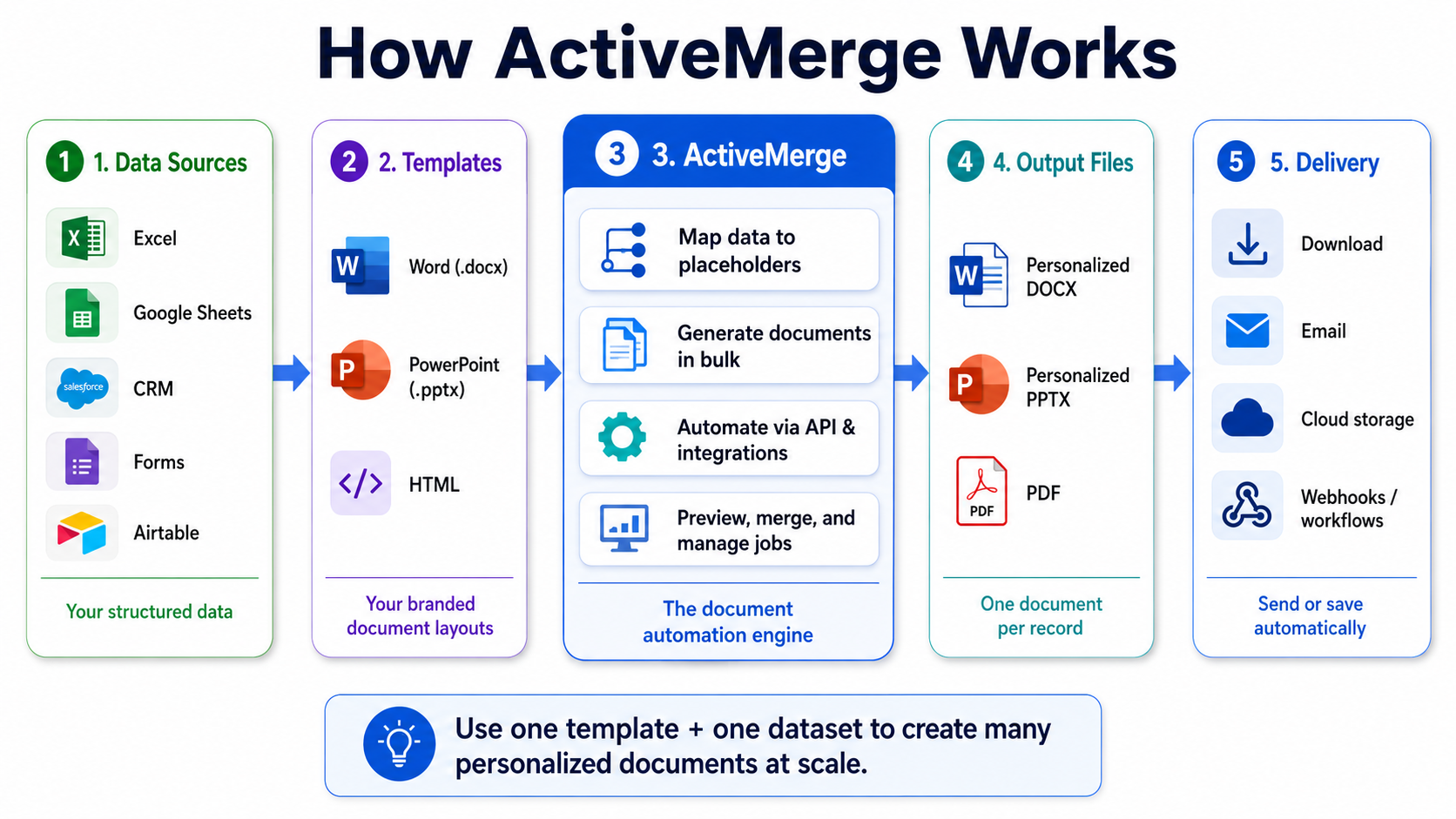
Everything in One Platform
Every tool you need to automate your document workflows — from creation to signature to delivery.
Document Generation
Generate professional documents from your templates in seconds. Fill placeholders with data from any source and export in bulk.
Generate Documents at Scale
- Output formats: DOCX, PPTX, and PDF
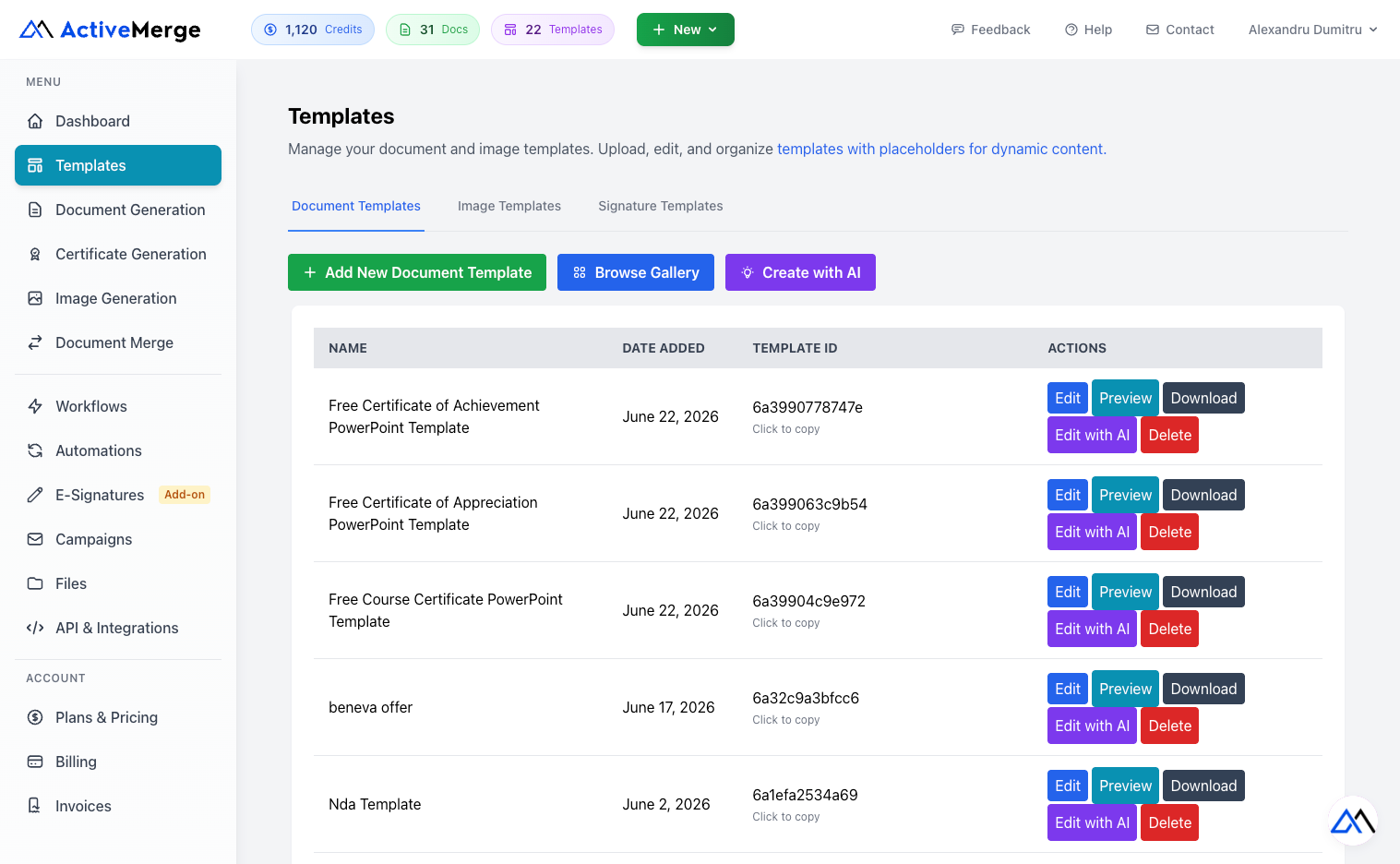
- Batch generation from Excel, CSV, or JSON data files
- Smart field matching with 4-tier detection: Exact, Normalized, Pattern, and Fuzzy
- Preview with watermark before committing a full generation run
- Custom filenames for every output file
- ZIP download for bulk export
- PDF watermarking and format conversion
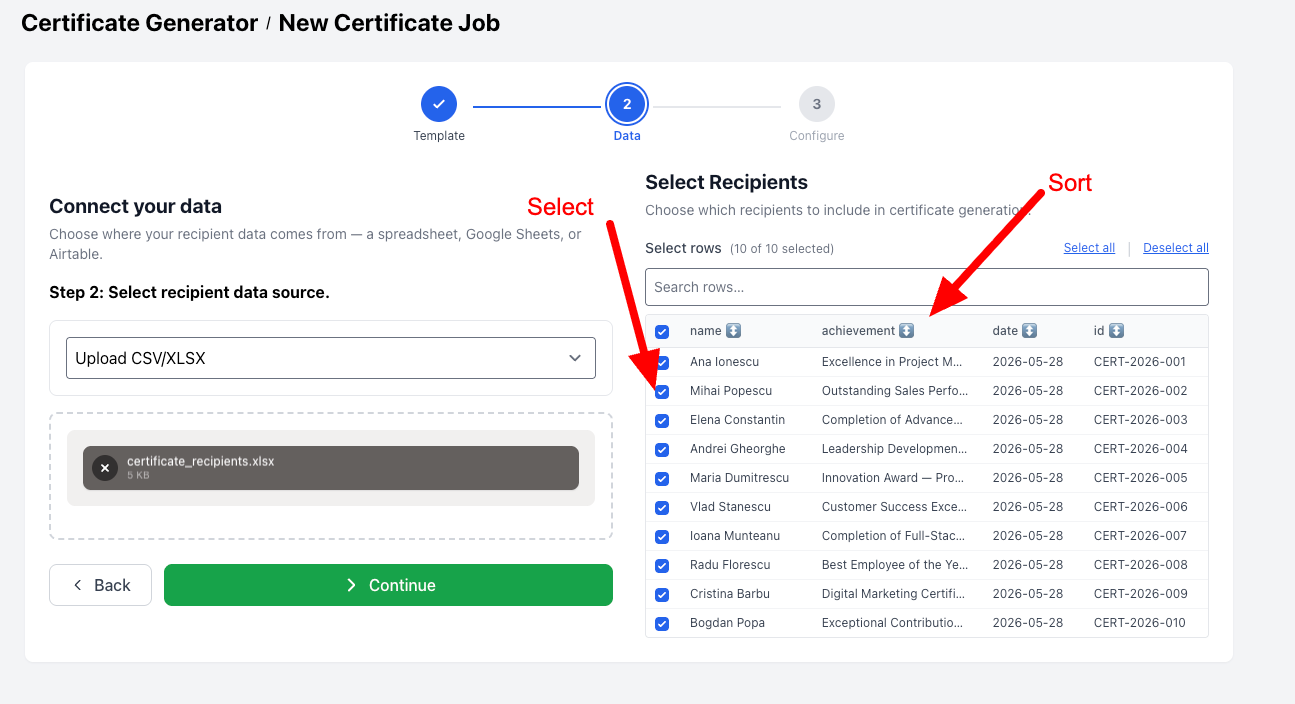
Templates
- Upload any template in DOCX or PPTX format
- Auto-detect placeholders — the system finds your merge fields automatically
- Duplicate templates for fast setup of variations
- Send generated documents via email directly from a template
- Public form access — enable or disable per template
- Import from Google Docs and Slides
- Create templates with AI — describe what you need and AI builds the template
e-Signatures
Send legally binding e-signature requests alongside your generated documents. From bulk signing to multi-party workflows, the full signing lifecycle is built in.
Legally Binding, Fully Audited
- Bulk signing — generate documents and send each to a different signer in a single job
- ESIGN & UETA compliant — meets US legal and security standards for electronic signatures
- Multi-party signing — add as many signers as needed, each with their own signing link
- Signing order — control who signs first with sequential signing workflows
- Automatic completion emails — all parties receive the fully signed PDF the moment it is executed
- Audit trail — every signature is timestamped with an IP address record

Image Generation
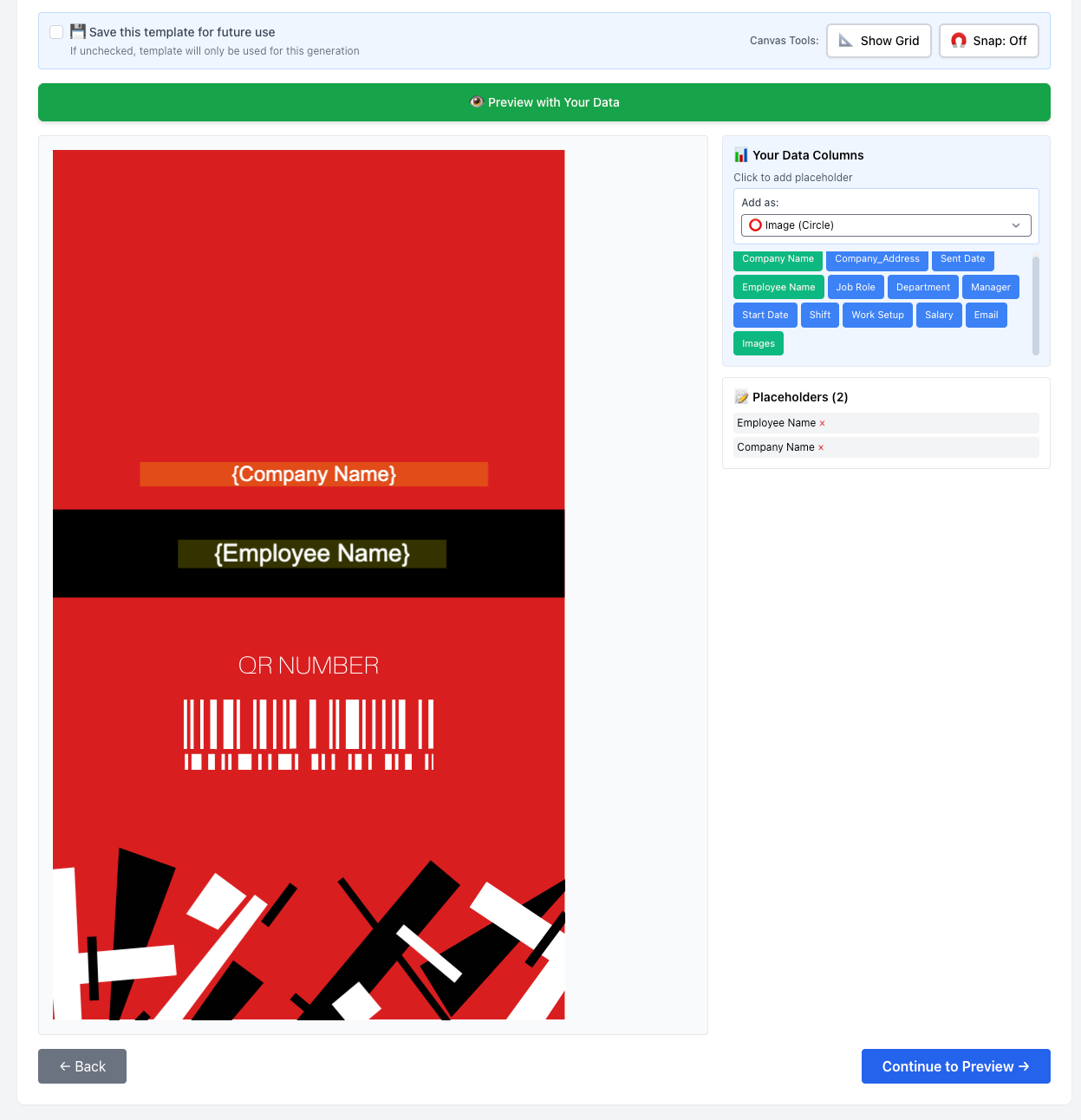
Create image templates with dynamic placeholders, then generate hundreds of personalized images in a single batch job. Track progress in real time and download everything as a ZIP.
- Customizable image templates with text and data placeholders
- Bulk generation — swap in data and generate at scale
- Real-time job status tracking
- ZIP download for bulk image exports
Merge & Combine Files
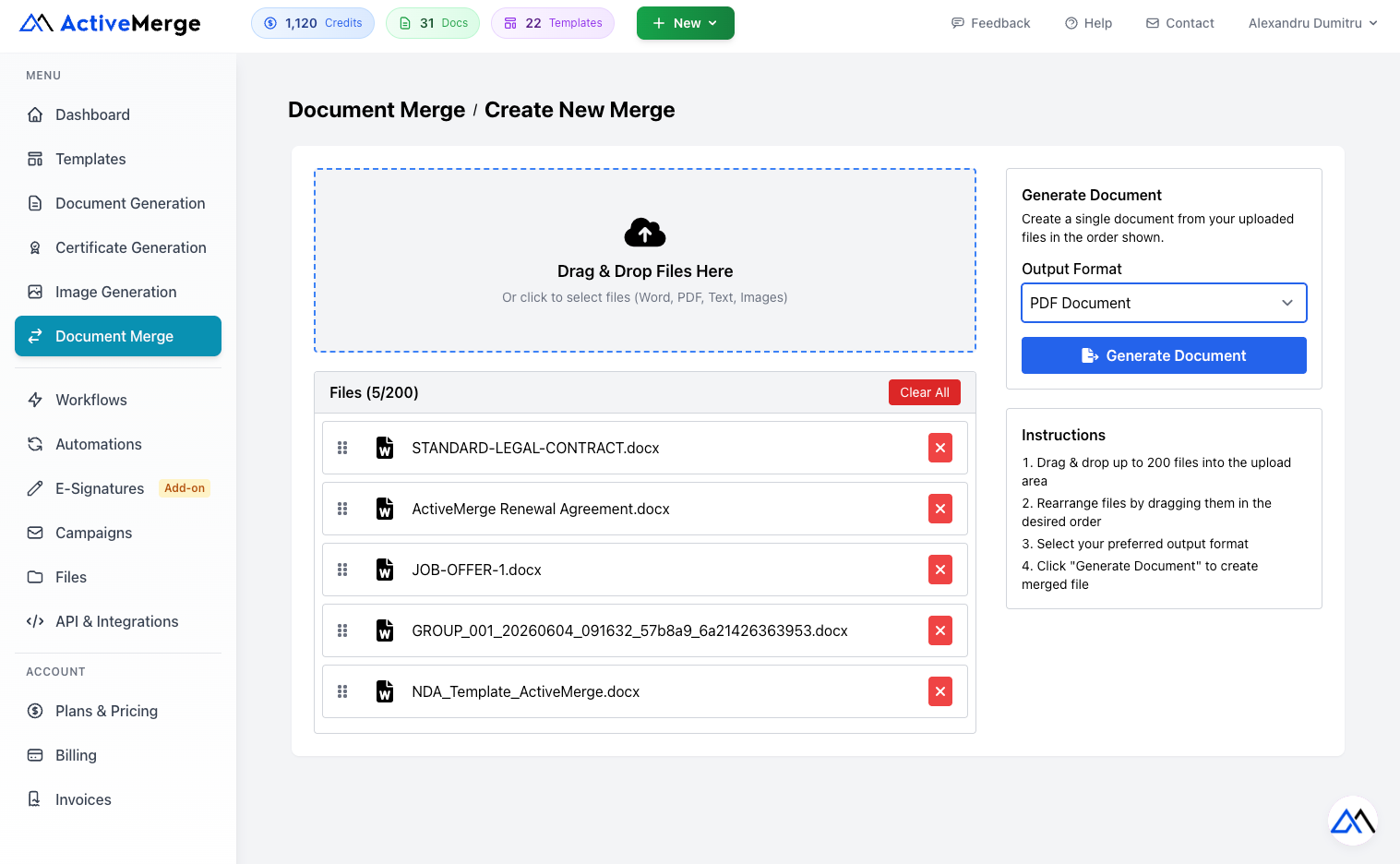
Combine PDFs, Word documents, images, and text files into a single clean output. Drag to reorder, set merge options, and generate in seconds.
- Merge up to 200 files per operation (each up to 20 MB)
- Output formats: PDF, Word (DOCX), and ePUB
- Drag to reorder files before merging
- Page break between merged documents (DOCX & ePUB)
- Continuous page numbering across the entire merged file (DOCX & ePUB)
- Unified headers & footers from the first document (DOCX & ePUB)
- Image-to-PDF conversion — JPEG and PNG supported
- REST API access for automated merging
Data Sources & AI OCR
Connect your data from anywhere — spreadsheets, databases, cloud apps, or scanned documents. ActiveMerge handles the ingestion so you can focus on the output.
Data Sources
- Upload from your device — Excel (.xlsx), CSV, JSON
- Google Sheets — connect directly to a sheet as your data source
- Notion — pull data from any Notion database
- Airtable — generate documents from your Airtable bases
AI-Powered OCR
- Upload an image or PDF containing text data
- AI extracts the text and structures it automatically
- Auto-generates the right field structure to merge directly into your document
- Ideal for scanned invoices, receipts, contracts, and forms
File Storage
- Cloud storage for all templates and generated documents
- Organize in folders with rename, move, and delete
- Save generated documents directly to your storage after generation
Workflows, Forms & Automations
Chain your templates into reusable pipelines, expose them as public forms, and trigger them automatically.
Workflows
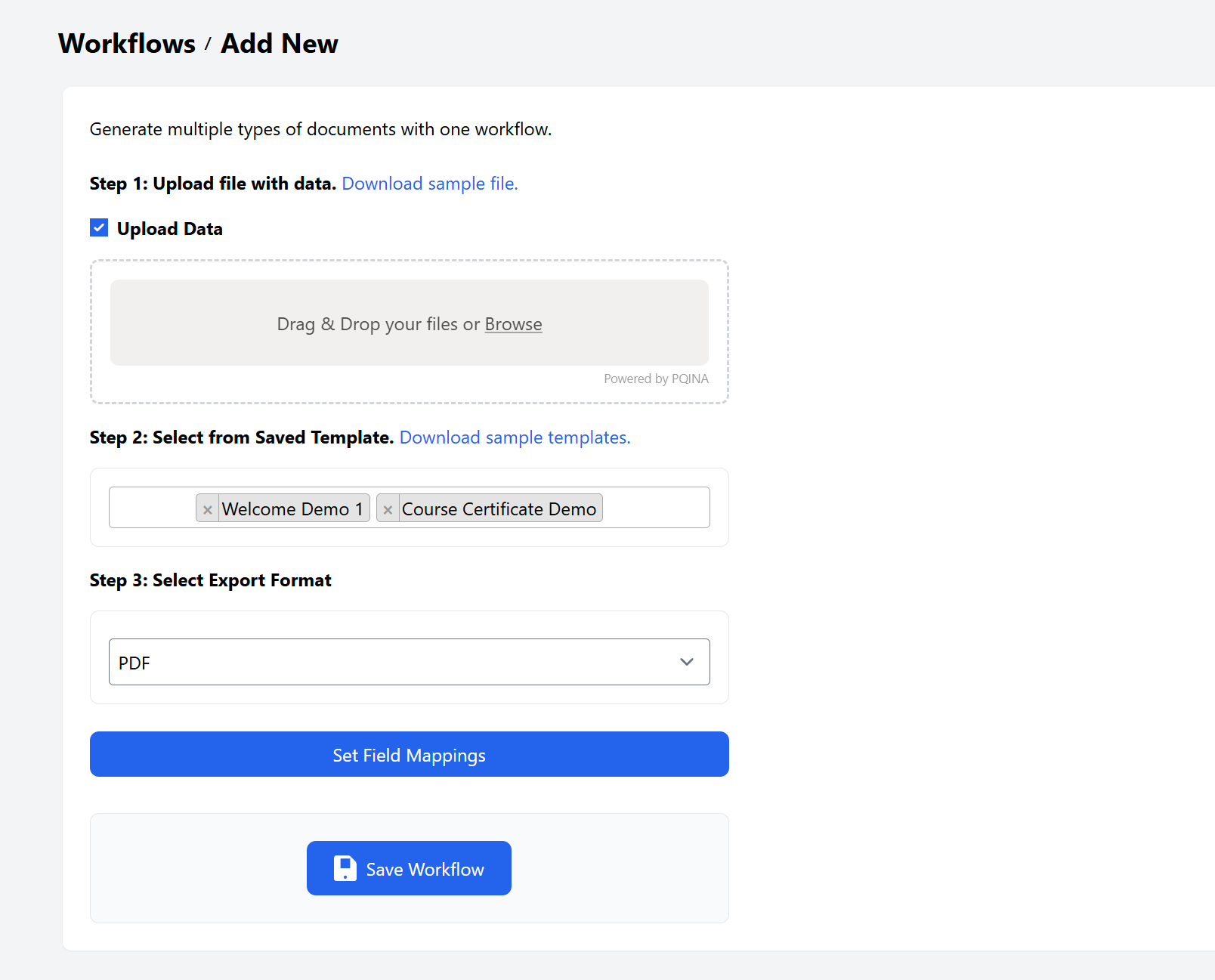
Combine multiple templates into a single reusable workflow. Enable a public form, trigger via API, or fire from an automation. Generate all output documents in one job.

Forms
Generate a shareable public form link from any template or workflow. Collect input from respondents, generate the document automatically, and deliver it by email.
Automations
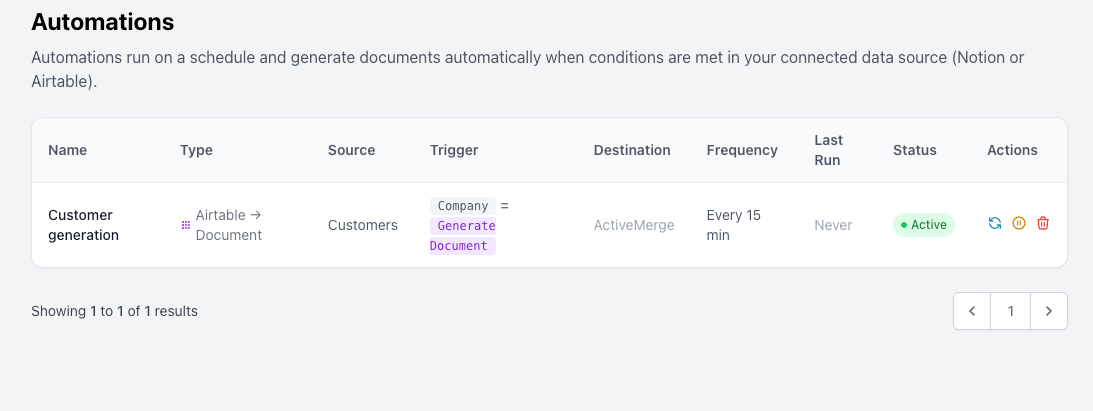
Build fully automated document generation pipelines. Trigger on a schedule, via an incoming webhook, or on demand. Push results to external systems via outgoing webhooks.
Email Campaigns
Generate a batch of personalized documents and send each one to the right recipient in a single campaign run. Connect your own email provider and track every delivery.
- Connect Gmail, Outlook, or SMTP via OAuth or credentials
- Personalized documents per recipient from one data source
- Track status: Draft, Queued, Sending, Paused, Completed, Failed
- Pause and resume campaigns without losing progress
- Preview and test send before launching to the full list
Connect the Tools You Already Use
ActiveMerge connects with your existing stack so document generation fits into your current workflow without disruption.

Google Drive
Import templates and data files directly from your Google Drive.
Notion
Pull data from Notion databases to generate documents automatically.
Airtable
Generate documents from Airtable bases with field mapping.
Make
Build powerful automated workflows connecting ActiveMerge to any app.
Zapier
Create automated document workflows with Zapier in minutes.
WordPress
Integrate with Contact Form 7 and Gravity Forms to generate documents from submissions.
Webhooks
Receive external data via incoming webhooks or push results out via outgoing webhooks.
REST API
Build document automation directly into your application. The ActiveMerge API covers generation, merging, image creation, and more — all documented with Swagger/OpenAPI.
- Full REST API for document generation, merging, and image generation
- Named API keys with individual token management
- Request logging and usage tracking
- Swagger/OpenAPI documentation

Team Collaboration
Invite your team, assign roles, and work together on templates, data, and workflows without stepping on each other.
- Invite via email — team members receive a signup link
- Role-based access — Admin and Collaborator roles
- Remove members or revoke pending invitations at any time
Built for Security, Designed for Trust
Your data is encrypted in transit and at rest, processed on EU servers, and automatically deleted after document generation. No human ever touches your files.
Encrypted at Every Step — AES encryption at rest and TLS encryption in transit protect your data from start to finish.
Hosted in Germany, EU — Servers powered by Hetzner and DigitalOcean in Germany, respecting EU privacy regulations.
Auto-Deleted in 24 Hours — Generated files are automatically purged from our servers within 24 hours. Source data is never stored.
GDPR & CCPA Aware — Built with EU and international data protection principles in mind. Read our GDPR policy.
Start Automating Your Documents Today
Join teams who use ActiveMerge to generate, sign, merge, and deliver documents at scale. Get started free — no credit card required.