
To generate documents from Google Docs use the following instructions.
Our Google Docs uses your source file from Google Sheets and templates from Google Docs and Google Slides. This integration uses the Google Drive picker to select the files.
For the data source, select Google Drive and connect your account, allow the permissions that will take you to the next step.
Select the Google Sheet that you want to use as a source file
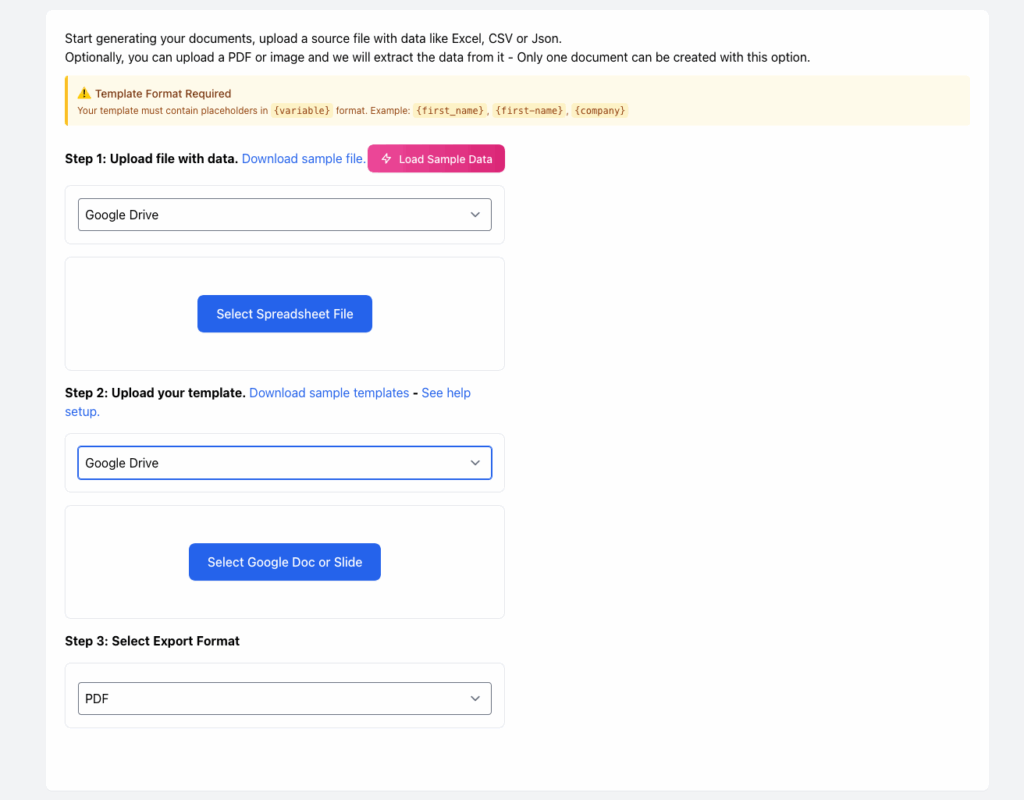
For the template now select your Google Doc or Slide. Please make sure you are using our instructions here to create templates.
Now you can click the Set Field Mappings button. If everything is ok you will see the fields on the right, for some placeholder you might need to select the data source to match the template.
Click generate Documents and Confirm to start the document generation process.
This integration is still in Beta – if you get errors please contact us.